Table View
The Table tab displays query results as rows/columns when the query returns tabular data.
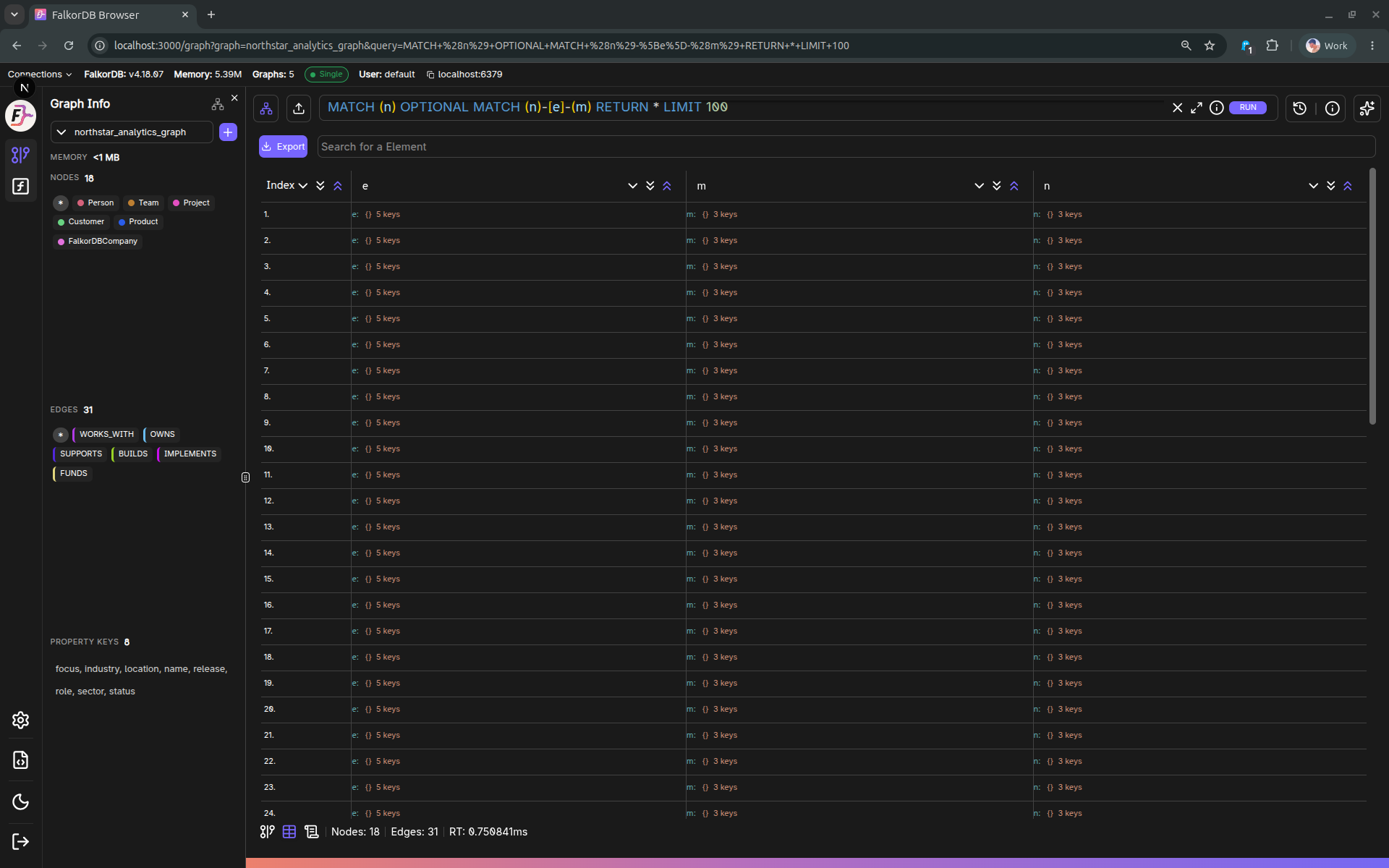
When it appears
The Table tab is enabled when the current query produced graph.Data (i.e., non-empty tabular results).
Features
- Automatic header extraction (union of keys across returned rows).
- Table UI capabilities provided by the shared Table component:
- Search
- Expand/collapse nested values (when applicable)
- Scroll position persistence within the session
Export to CSV
Click Export to download the current table results as a CSV file.
Notes:
- Complex values (objects) are serialized as JSON.
- The output filename includes the graph ID (e.g.,
<graph>_table_export.csv).
Frequently Asked Questions 4
When does the Table tab appear?
The Table tab is enabled when your query returns tabular data (non-empty graph.Data results). If the query only returns graph elements without tabular output, the tab may be disabled.
How do I export query results to CSV?
Click the Export button in the Table view to download the current results as a CSV file. The filename includes the graph ID (e.g., mygraph_table_export.csv).
How are complex or nested values displayed?
Complex values such as objects are serialized as JSON in both the table display and the CSV export.
Can I search within the table results?
Yes. The Table view includes a search feature that lets you filter through the displayed rows.