

GraphRAG-SDK has its own documentation at docs.falkordb.com/graphrag. This page is a short overview — the full guides, API reference, and runnable examples live there.
Build intelligent GraphRAG applications with FalkorDB and LLMs
GraphRAG-SDK builds knowledge graphs from your documents and answers questions over them using graph-based retrieval-augmented generation, on FalkorDB. It ingests text, Markdown, and PDF with schema-guided entity extraction, retrieves cited answers through a hybrid pipeline that combines vector search, full-text search, Cypher generation, and relationship expansion, and re-syncs individual documents incrementally without rebuilding the graph. It holds the top score on GraphRAG-Bench across both the multi-document and single-document question sets, and works with any LLM or embedder reachable through LiteLLM.Quick start
Documentation
GraphRAG Server — the hosted, no-code option
If you’d rather not run the pipeline yourself, GraphRAG Server is the fully hosted version. Upload your files and it builds the knowledge graph for you, so you can ask questions in plain language and get accurate, cited answers — no code, no Cypher, and no graph expertise required.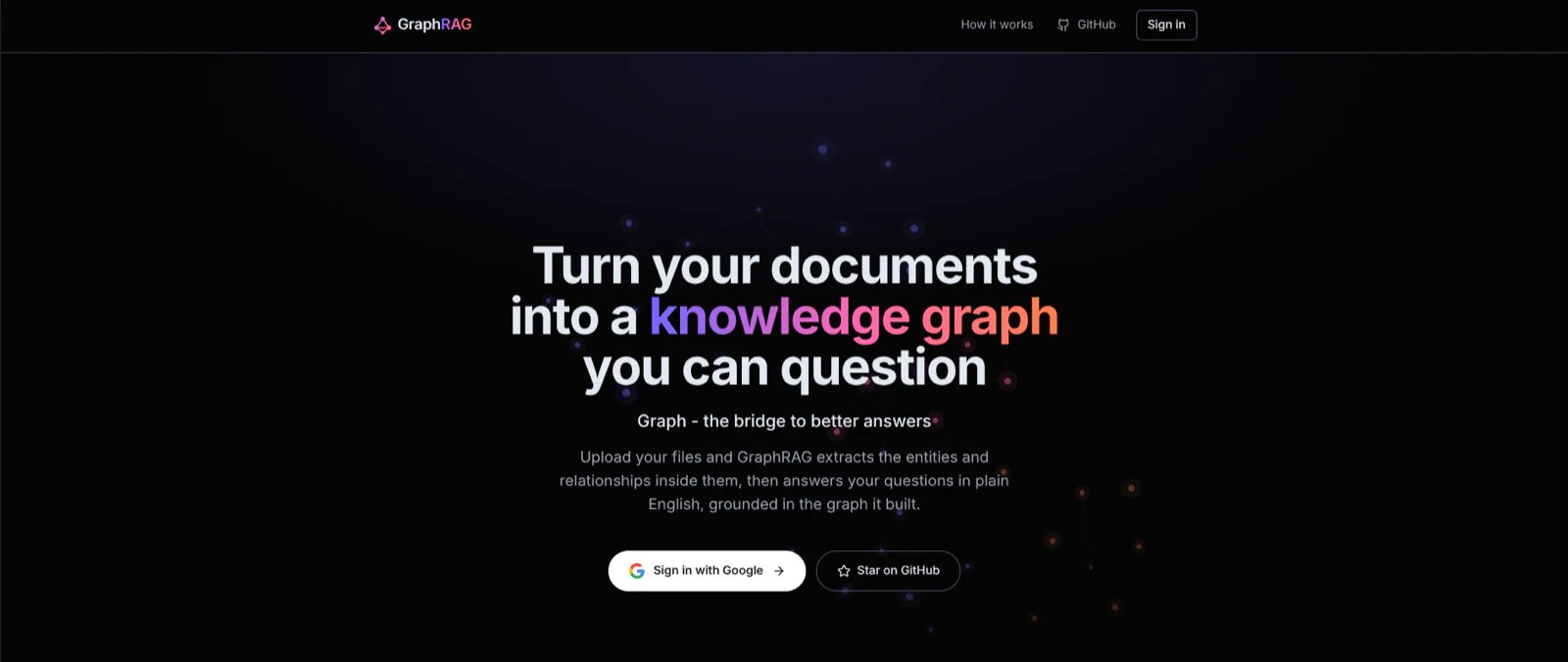
How it works
- Sign in at graphrag.falkordb.com with your Google account.
- Upload your documents: PDF, plain text, or Markdown. GraphRAG Server reads them and builds your knowledge graph automatically, showing live progress as it goes.
- Ask questions in plain language. You get an answer with citations to your sources, plus a small “explainability” graph showing the facts behind it.
- Explore visually: browse the entities and relationships extracted from your documents in an interactive graph view.
Key features
- Document upload: bring your own PDF, TXT, or Markdown files.
- Natural-language Q&A: ask in plain English and get grounded answers.
- Citations: every answer links back to the source documents it used.
- Explainability subgraphs: see the entities and relationships behind each answer.
- Interactive graph visualization: explore your knowledge as a graph you can click through.
- AI-suggested questions: get starter questions tailored to your own content.
- Embeddable chat widget: publish a finished graph and embed it on your own website or documentation so visitors can ask questions without leaving your site.
Why GraphRAG?
Vanilla RAG (Retrieval-Augmented Generation) finds text snippets that look similar to your question and hands them to an LLM. That works for simple lookups, but it struggles when the answer depends on how facts connect across different documents. GraphRAG first organizes your documents into a knowledge graph: the people, places, products, and concepts in your content, and the relationships between them. Asking questions against that graph gives you:- More accurate answers: it connects related facts across your documents instead of matching keywords in isolation.
- Cited answers: every response points back to the source documents it came from, so you can trust and verify it.
- Explainability: see the small graph of entities and relationships behind each answer, so you understand why you got it.
- A view of your knowledge: explore everything the system learned from your documents as an interactive graph.
- GraphRAG-SDK documentation
- GraphRAG-SDK GitHub repository
- Runnable examples
- Try GraphRAG Server — the hosted, no-code version
- Understanding Ontologies and Knowledge Graphs
Frequently Asked Questions
What is GraphRAG-SDK?
What is GraphRAG-SDK?
GraphRAG-SDK builds knowledge graphs from your documents on FalkorDB and answers questions over them using graph-based retrieval-augmented generation. It ingests text, Markdown, and PDF with schema-guided entity extraction, and retrieves cited answers through a hybrid pipeline combining vector search, full-text search, Cypher generation, and relationship expansion.
How do I get started with GraphRAG-SDK?
How do I get started with GraphRAG-SDK?
Install it with
pip install "graphrag-sdk[litellm,pdf]", start FalkorDB with docker run -p 6379:6379 falkordb/falkordb, then create a GraphRAG instance with a ConnectionConfig, an LLM, and an embedder. Call ingest(), then finalize(), then completion() to ask your first question. The pdf extra is only needed for PDF ingestion — drop it if you are loading text and Markdown. You can also skip the local instance and point it at FalkorDB Cloud.What is the difference between GraphRAG-SDK and GraphRAG Server?
What is the difference between GraphRAG-SDK and GraphRAG Server?
GraphRAG-SDK is the self-hosted Python library you run and configure yourself. GraphRAG Server is the fully hosted, no-code version: you upload documents through the browser and it builds the graph for you, with no code, no Cypher, and no graph expertise needed.
Which LLMs and embedding models does GraphRAG-SDK support?
Which LLMs and embedding models does GraphRAG-SDK support?
Any LLM or embedder reachable through LiteLLM, which covers OpenAI, Anthropic, Google, and locally hosted models. You select them with
LiteLLM(model=...) and LiteLLMEmbedder(model=...).What file types can GraphRAG-SDK ingest?
What file types can GraphRAG-SDK ingest?
Plain text, Markdown, and PDF. PDF ingestion needs the
pdf extra (pip install "graphrag-sdk[litellm,pdf]"). GraphRAG Server accepts the same three formats through its upload interface.Do I have to rebuild the whole graph when a document changes?
Do I have to rebuild the whole graph when a document changes?
No. GraphRAG-SDK re-syncs individual documents incrementally. See Incremental Updates for
update(), delete_document(), and apply_changes(), which are designed for CI-driven syncs.Why use GraphRAG instead of regular RAG?
Why use GraphRAG instead of regular RAG?
Vanilla RAG retrieves text snippets that look similar to your question, which breaks down when an answer depends on how facts connect across documents. GraphRAG first organizes your content into a knowledge graph, so answers connect related facts across documents, come with citations back to the sources, and include an explainability subgraph showing why you got that answer.
How accurate is GraphRAG-SDK?
How accurate is GraphRAG-SDK?
It holds the top score on GraphRAG-Bench across both the multi-document and single-document question sets. The Benchmark page documents the methodology and how to reproduce the results.
Where is the full GraphRAG-SDK documentation?
Where is the full GraphRAG-SDK documentation?
This page is a short overview. The complete guides, API reference, and runnable examples live at docs.falkordb.com/graphrag.