Graph Page (Layout)
The Graph page (/graph) is the primary workspace for querying and visualizing data.
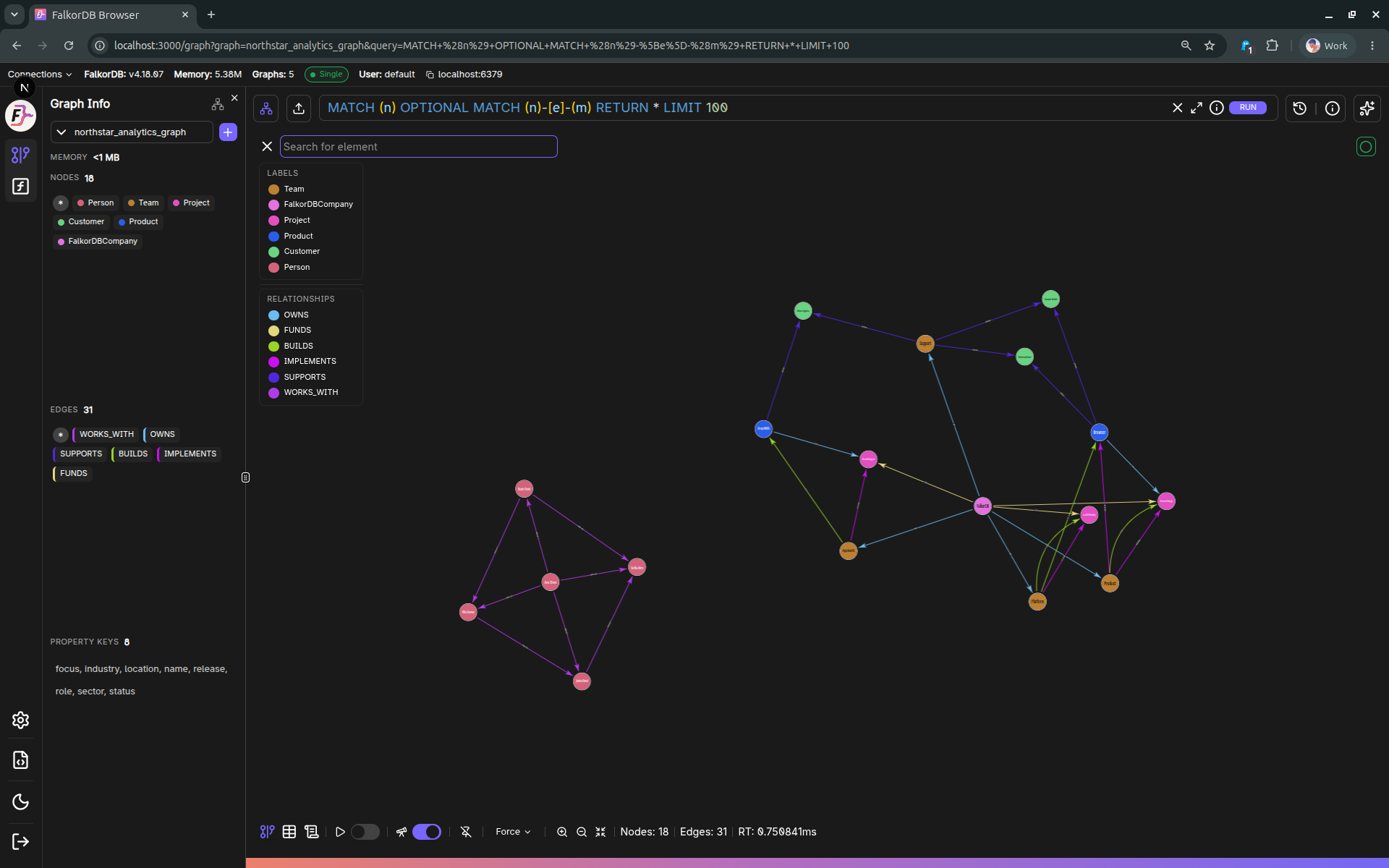
High-level layout
The page is composed of:
- Left sidebar (navigation, theme, graph info/chat toggles)
- Top selector bar
- Graph selector (choose the active graph)
- Query editor (Monaco-based) with Run button
- Query history button + editor maximize button
- Main results area
- Graph tab (visual canvas)
- Table tab (tabular results)
- Metadata tab (Explain/Profile/Metadata)
- Right side panel (can be resized, context-driven)
- Data panel (inspect/edit selected node/edge)
- Add panel (create nodes/edges)
- Chat panel (natural-language querying)
Right-hand panel resize behavior
The right panel expands/collapses based on what you’re doing:
- Selecting a node/edge typically opens Data.
- Starting “Add node / Add edge” opens Add.
- Toggling Chat opens Chat and clears selection.
Graph info refresh
Graph info (labels, relationship types, property keys, memory usage) is periodically refreshed based on the configured refresh interval.
Frequently Asked Questions 4
How is the Graph page laid out?
The page has a left sidebar for navigation, a top selector bar with the graph selector and query editor, a main results area with Graph/Table/Metadata tabs, and a right side panel for data inspection, adding elements, or chat.
Can I resize the right side panel?
Yes. The right panel expands and collapses based on context (selecting an element opens Data, creating elements opens Add, toggling Chat opens the Chat panel) and can be manually resized.
How often does Graph Info refresh?
Graph Info refreshes periodically based on the refresh interval configured in Settings → Browser Settings → Graph Info.
What are the three tabs in the results area?
The three tabs are Graph (visual canvas), Table (tabular rows/columns), and Metadata (Explain/Profile/Metadata output).