

What waits for the window
A deployment without a window, with no installation default either, runs every change right away.
An edit of the deployment’s raw YAML (
falkordb-admin deployments update-yaml, or POST /api/clusters/{name}/yaml) is applied as it is, so it isn’t queued. Outside the window, an edit that changes the spec is refused with 409. Make the change through the deployment API instead (PATCH or PUT), which queues what restarts the pods. You can also apply the YAML in the window, or add maintenance=override (--now with the Admin CLI).Set a window
A window has:- the days it opens
- a local start time
- a duration of 30 minutes to 24 hours
- an IANA time zone, such as
UTCorEurope/Berlin
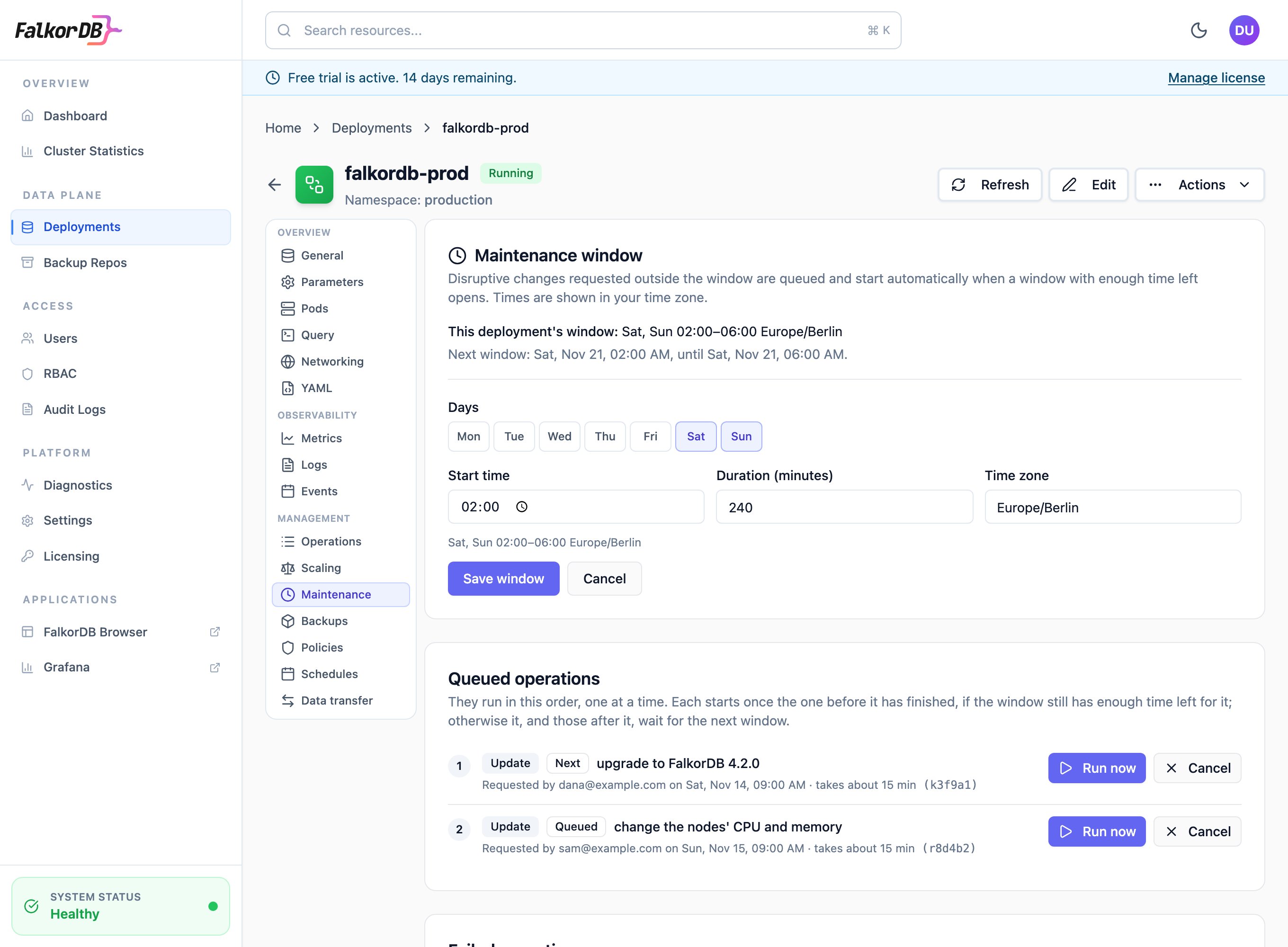
Changing a deployment's window on the Maintenance tab.
--days also takes ranges and daily, weekdays or weekends. --duration takes minutes, or values such as 2h or 1h30m. Run falkordb-admin maintenance clear graph --namespace team-a to remove the window, and falkordb-admin maintenance get graph --namespace team-a to see it with the queue.
Installation default
An administrator can set a default window under Settings, or withfalkordb-admin maintenance default set. It applies to every deployment that has no window of its own. Through the API, set it with PATCH /api/settings using maintenance.default_window. Set default_window to null to clear it.
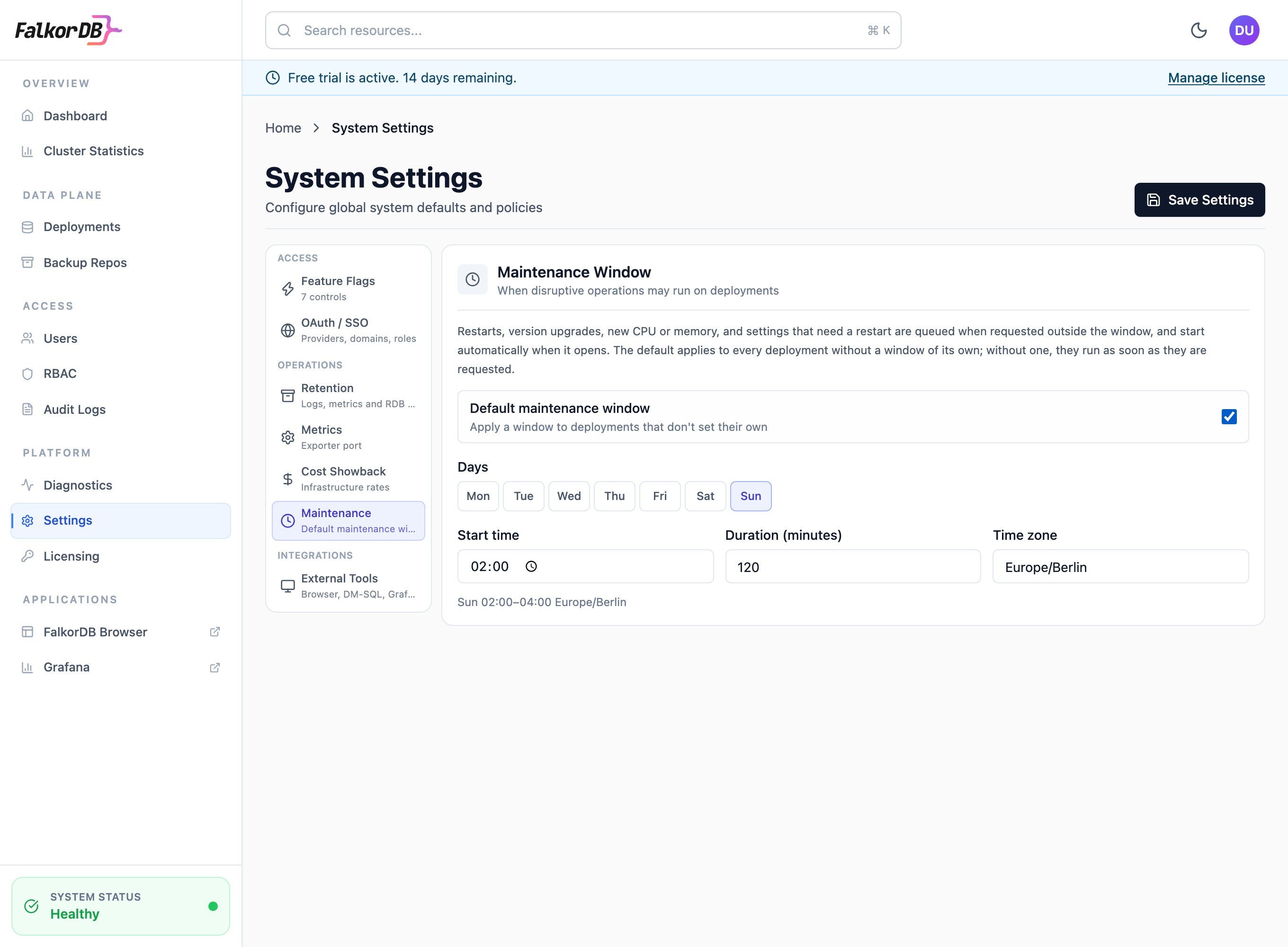
The installation default under Settings, Maintenance.
What happens to a queued change
- The request is answered with
202 Acceptedand aqueuedentry, not an error. Nothing changes on the deployment yet. - The deployment’s status lists the change under
pendingChangeswithvia: MaintenanceWindow. The Maintenance tab lists it too, with who requested it and when. - Each queued change has an estimated duration of 5 minutes for each pod it restarts, with a minimum of 10 minutes. Only the pods the change restarts count: new CPU for the sentinels counts the sentinels, and an upgrade counts the nodes and the sentinels. The estimate is worked out again just before the change starts, so it follows replicas or shards added in the meantime. A change starts only when a window is open with at least that much time left. A change that started finishes even if it runs past the end of the window.
- Changes start one at a time, in the order they were requested, and only while the deployment is running with no other operation in progress. Each starts once the one before it has finished, if the window still has enough time left for it. If it doesn’t, it waits for the next window, and so do the changes after it, even ones short enough to fit. The Maintenance tab numbers the changes in this order.
- While a change is being submitted it shows as starting, and nothing else starts on the deployment. If the Admin Server stops at that moment, the change is submitted again after 10 minutes. A queued restart is never submitted twice.
- If the deployment refuses a change when it starts, the change stays in the queue marked failed, with the reason. It’s skipped, so it doesn’t hold back later changes, and the Maintenance tab lists it apart. Cancel it, or fix the cause and run it again.
- A queued replacement (
PUT) only runs on the deployment as it was when it was queued. If its spec, window, labels or annotations have changed since, the replacement is marked failed rather than undo that change: send it again.
Cluster, so it survives Admin Server restarts and is deleted with the deployment. A deployment restored from a backup starts with an empty queue and no window of its own.
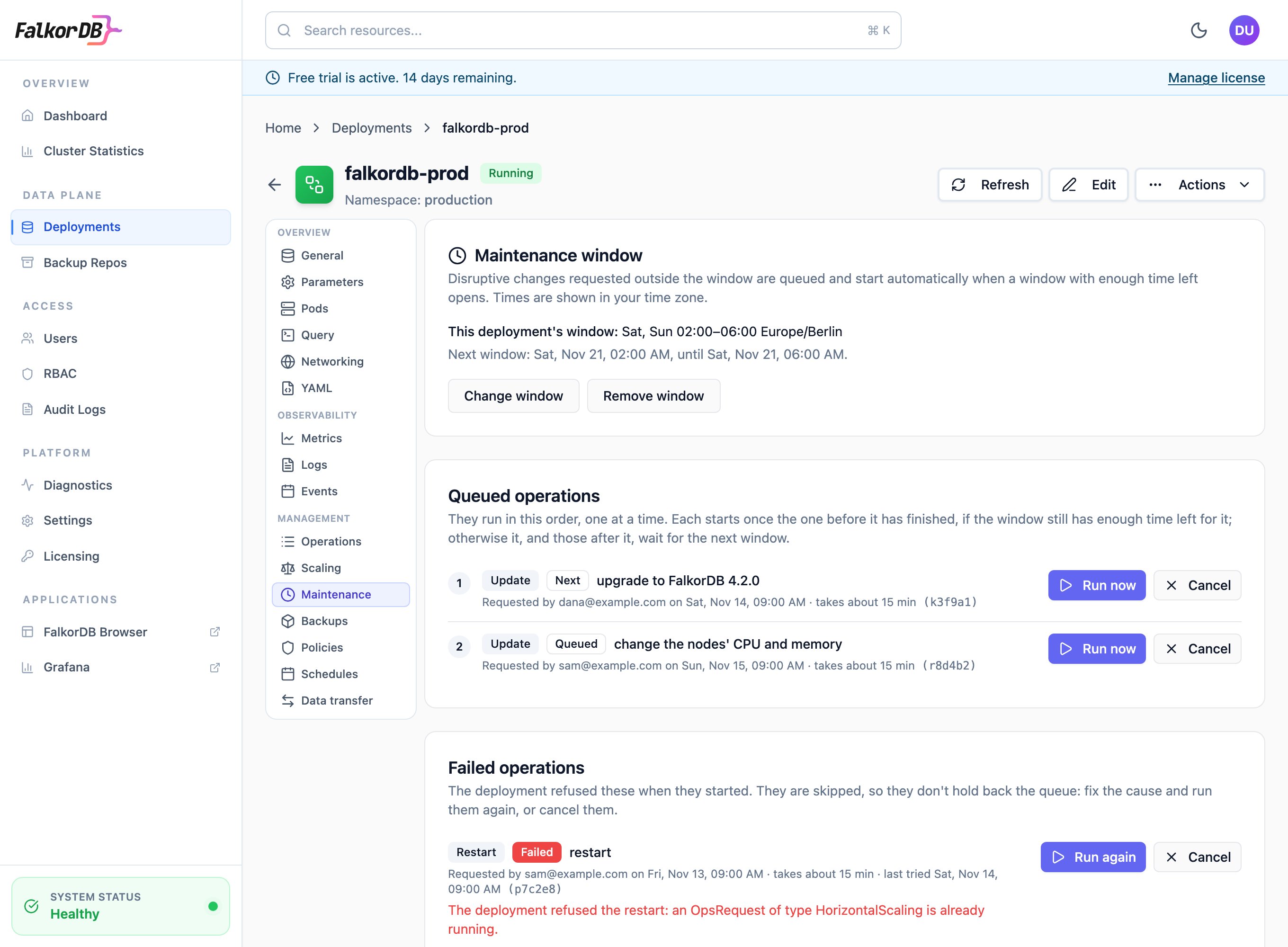
The Maintenance tab: the window, the operations waiting for it in the order they run, and a failed one.
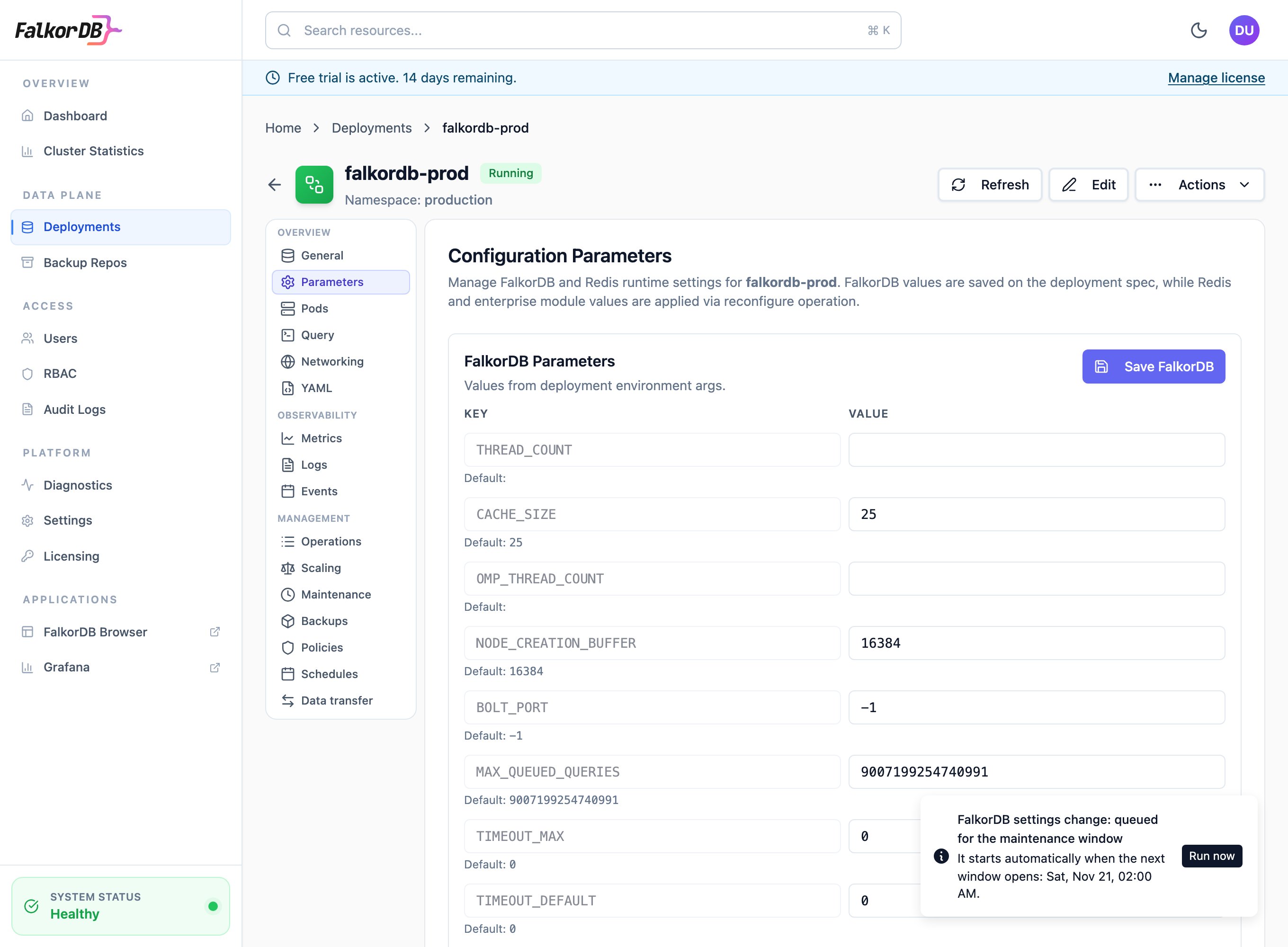
A settings change made outside the window, queued for it.
falkordbe.ldap_search_bind_passwd or a Sentinel requirepass, can’t be queued, because the queue isn’t secret. This holds even when the credential already has that value. Resetting a credential to its default is fine. It’s refused with 409, code: MaintenanceCredentialNotQueueable and the credentials in keys. Credentials apply without a restart, so send them in a request of their own first, then send the rest, which is queued. You can also run the whole change now. The Admin UI offers both choices when this happens.
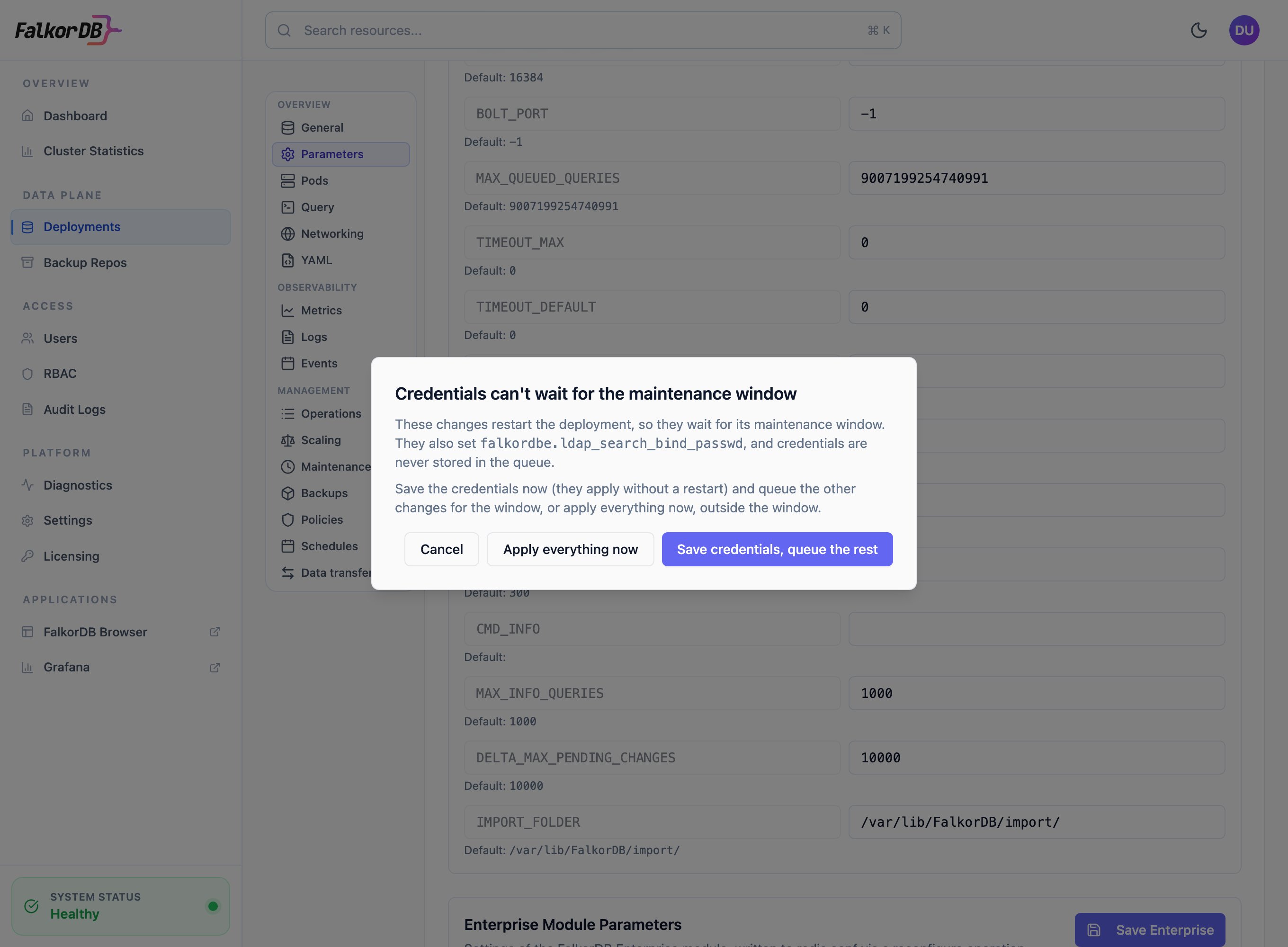
A change that also sets a credential: save the credentials now and queue the rest, or apply everything now.
Cancel or run a change now
-
Cancel:
DELETE /api/clusters/{name}/maintenance/queue/{id}?namespace={namespace}. You need permission to update the deployment. -
Run now:
POST /api/clusters/{name}/maintenance/queue/{id}/run?namespace={namespace}. This starts the change outside the window. -
Skip the window when you make the change: add
maintenance=overrideto the request. For example,PATCH /api/clusters/graph?namespace=team-a&maintenance=override. This works on deploymentPUTandPATCH, and onPOST .../ops/restart,.../ops/configure,.../ops/vertical-scaleand.../upgrade.
falkordb-admin maintenance cancel <deployment> <id> and falkordb-admin maintenance run <deployment> <id>. Add --now to a command that makes a disruptive change, such as deployments upgrade or operations restart, to skip the window.
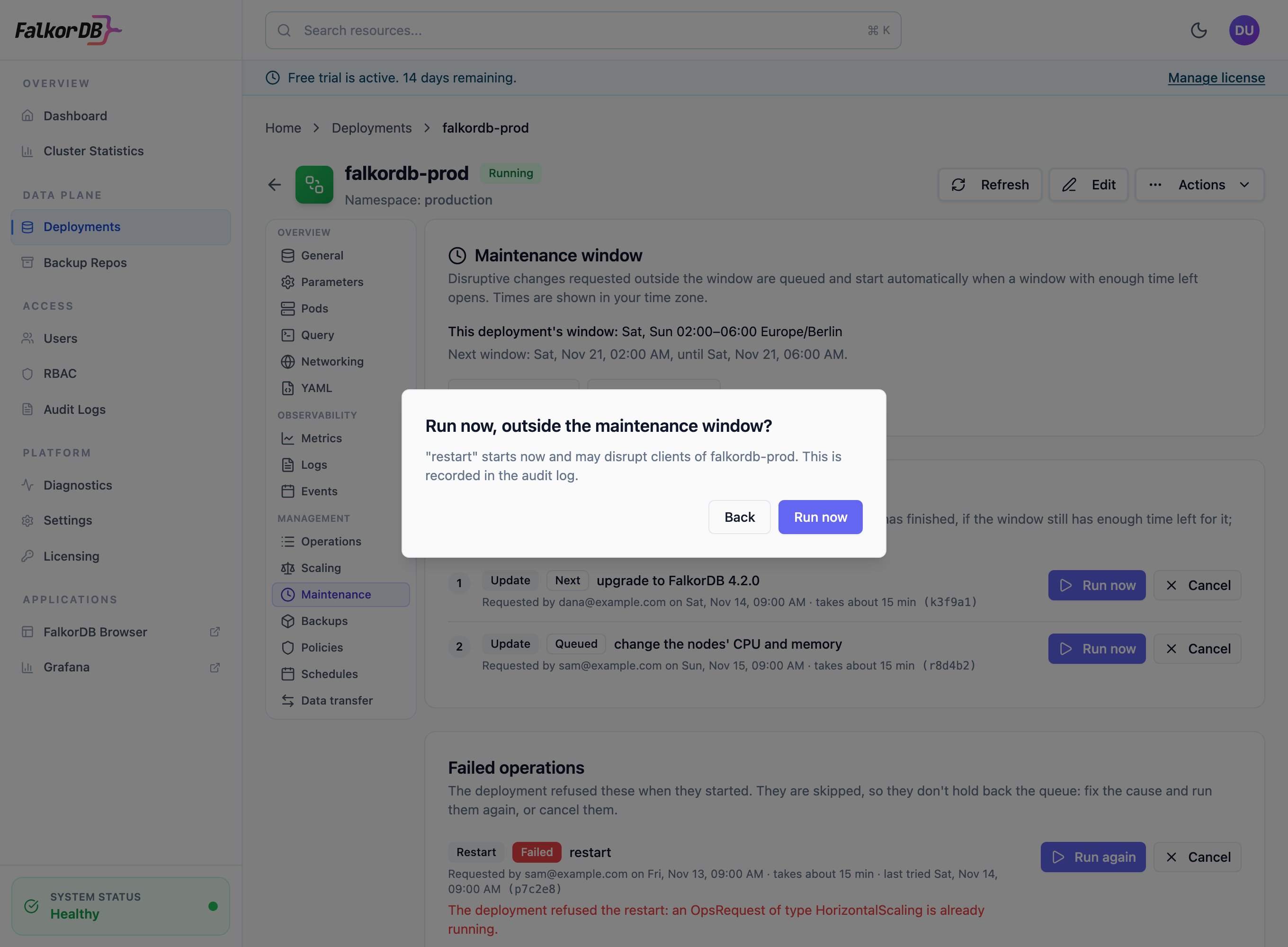
Running a queued change now asks for confirmation, and is recorded in the audit log.
override action on the clusters.maintenance resource. The predefined admin role has it. To give it to other people, add a rule to their role:
Audit log
These events are written to the audit log:
The change itself is also audited under its usual action, such as
cluster.update or cluster.ops.restart, with the person who requested it as the user.
Check the window
GET /api/clusters/{name}/maintenance?namespace={namespace} returns:
- the window that applies, and whether it’s the deployment’s own or the installation default
- the window open now, if any, and when the next one opens
- the queue