

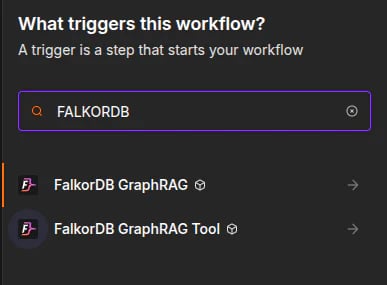
FalkorDB GraphRAG: a regular pipeline node for ingest and question-answering steps.FalkorDB GraphRAG Tool: an AI Agent tool node that can be called autonomously.FalkorDB GraphRAG Server API: the credential that stores the server URL, API token, and request timeout.
Typical workflow
Installation
Install@falkordb/n8n-nodes-graphrag from the n8n Community Nodes UI, or use npm in a self-hosted n8n instance:
Setup
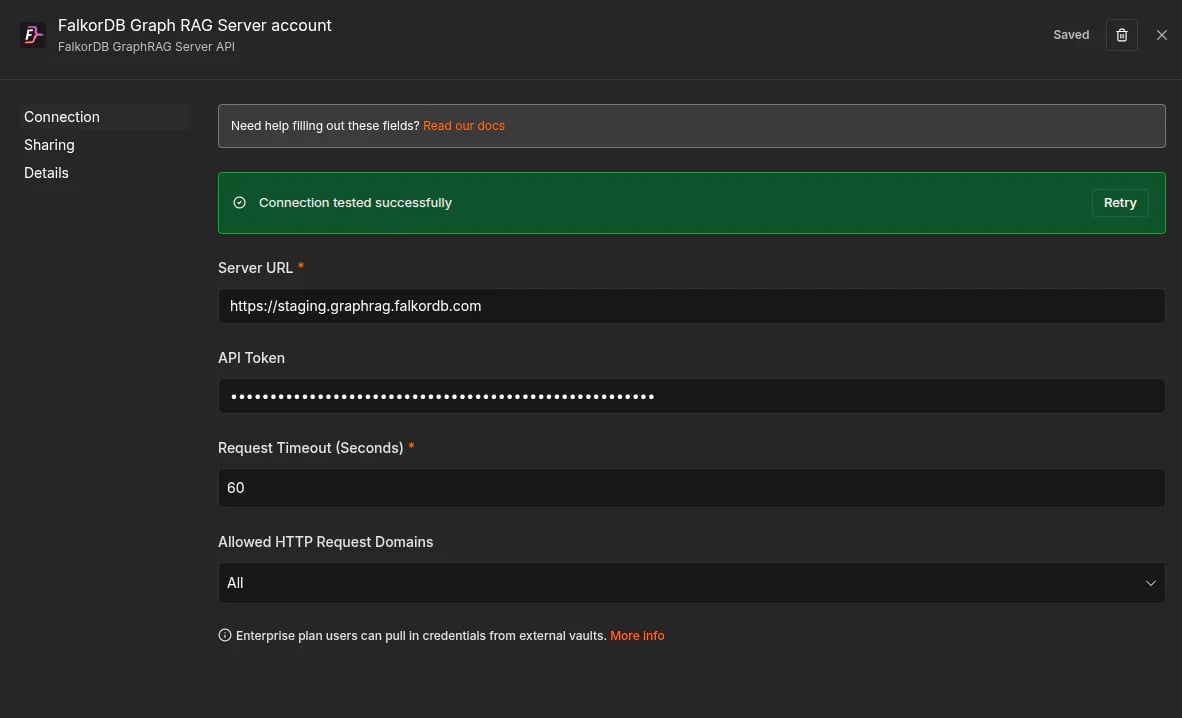
Create one credential under Credentials -> New -> FalkorDB GraphRAG Server API and reuse it across both nodes.How to get an API token
Use these steps only for GraphRAG-Server deployments that require API-token authentication. If server authentication is disabled, leave the n8n credential API Token field blank.1. Open Settings and API Access
Open your graph in GraphRAG-Server, then go to Settings and keep the API Access tab selected.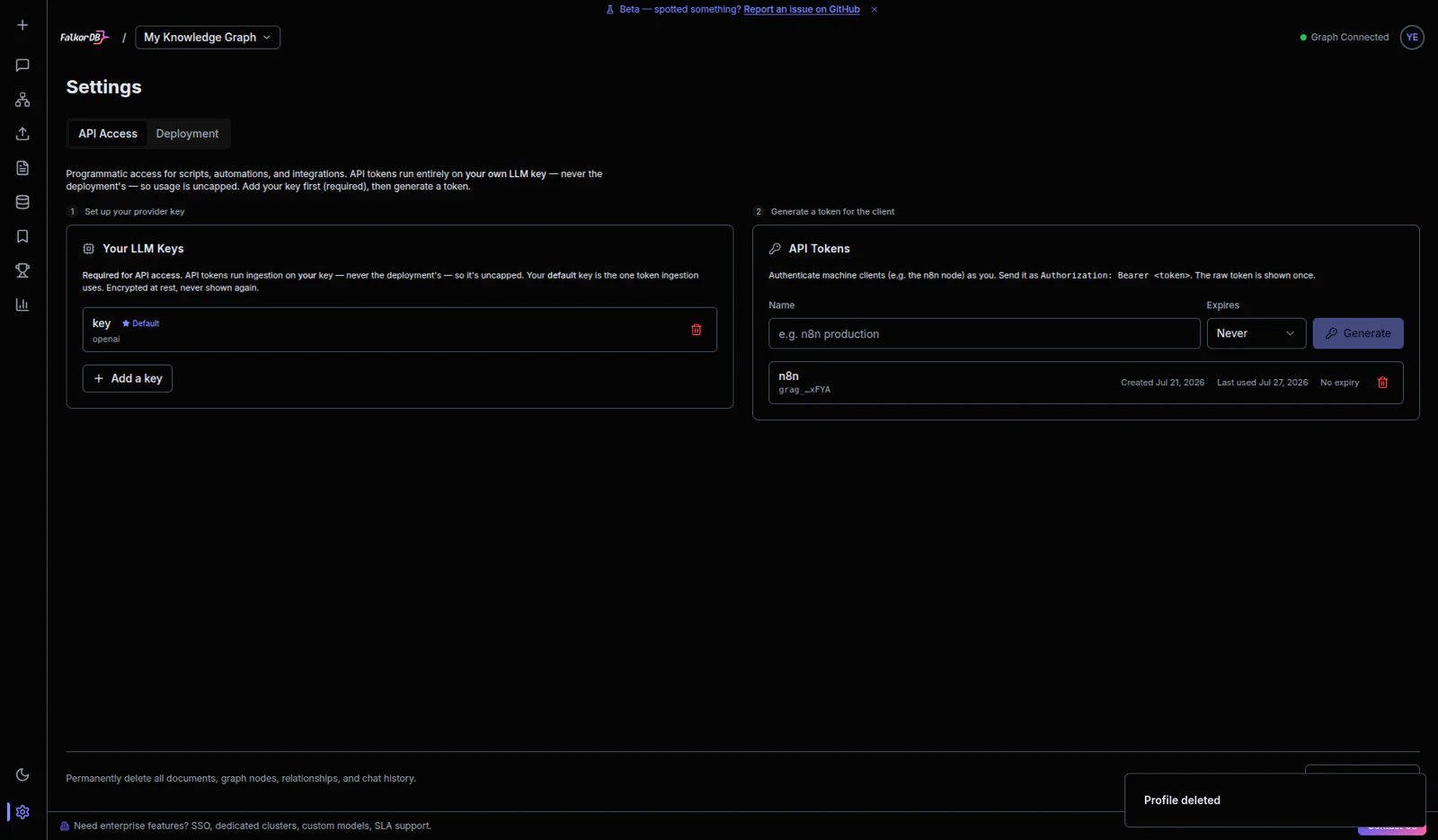
2. Add your LLM key
In Your LLM Keys, add a provider key if one is not already present. API tokens run on your own LLM key, so this step is required first when API-token authentication is enabled. Self-hosted deployments may already manage provider credentials on the server.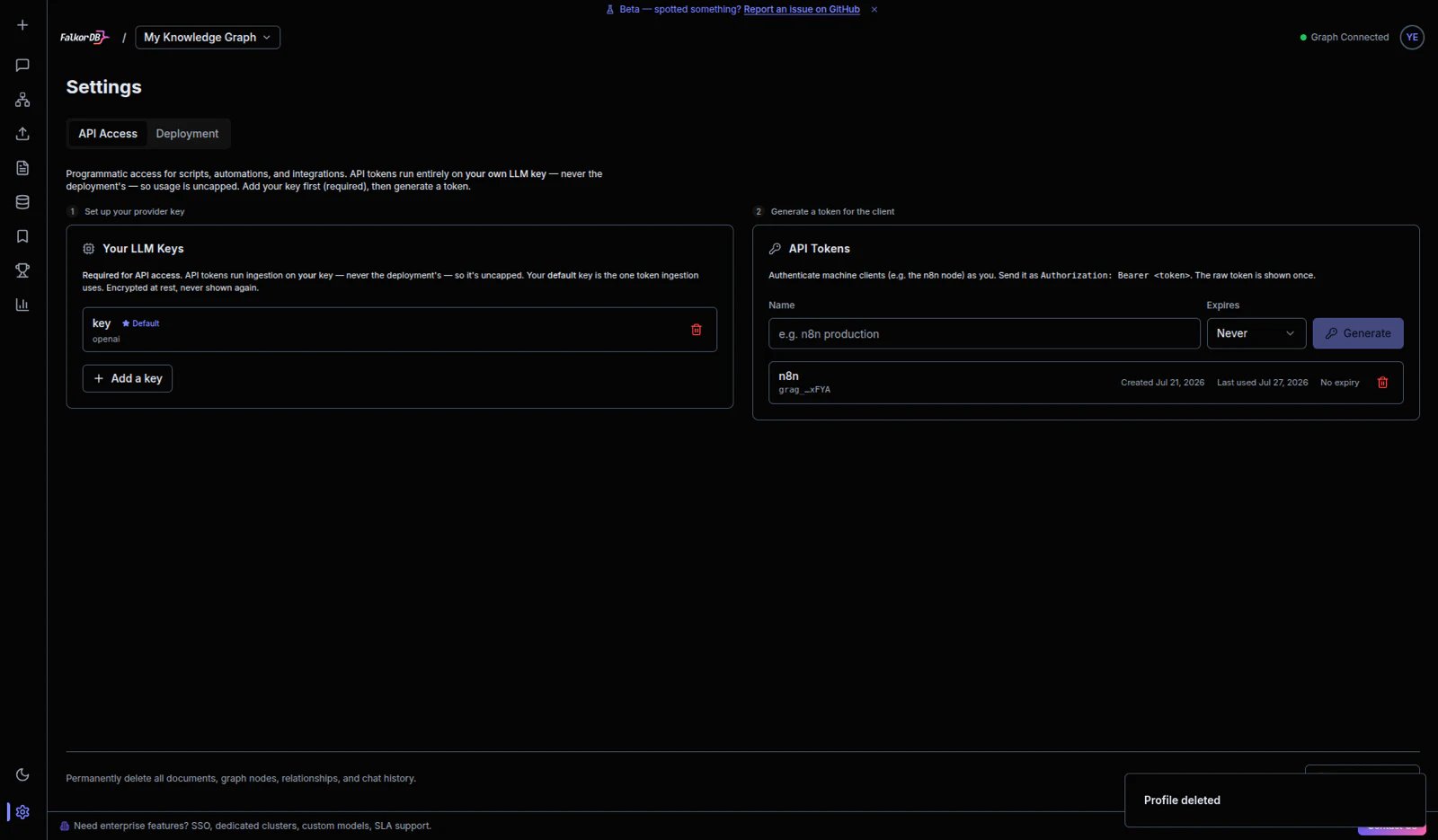
3. Generate the client API token
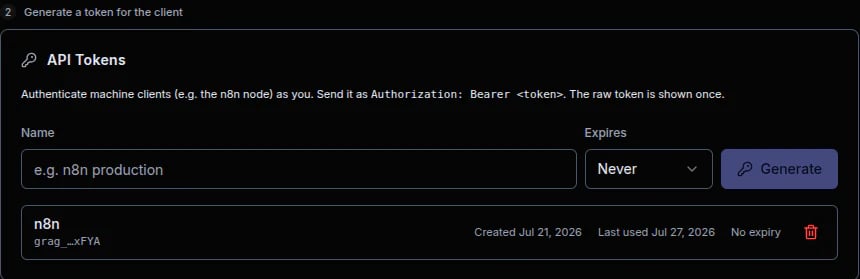
In API Tokens, enter a token name (for example,n8n production), choose expiration, and click Generate. Copy the raw token value when shown and paste it into the n8n credential API Token field.
Screenshots
Node picker
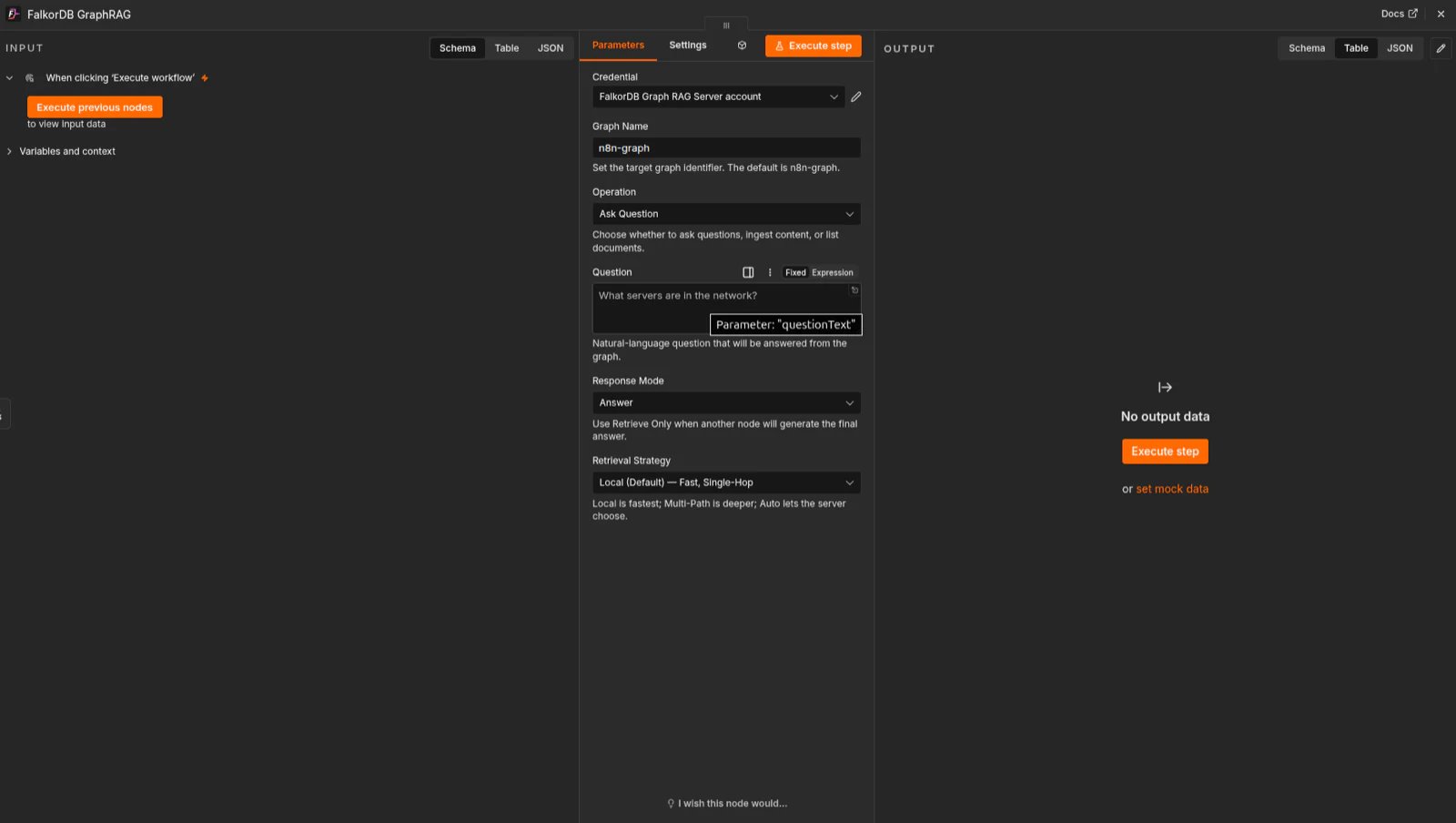
Pipeline node
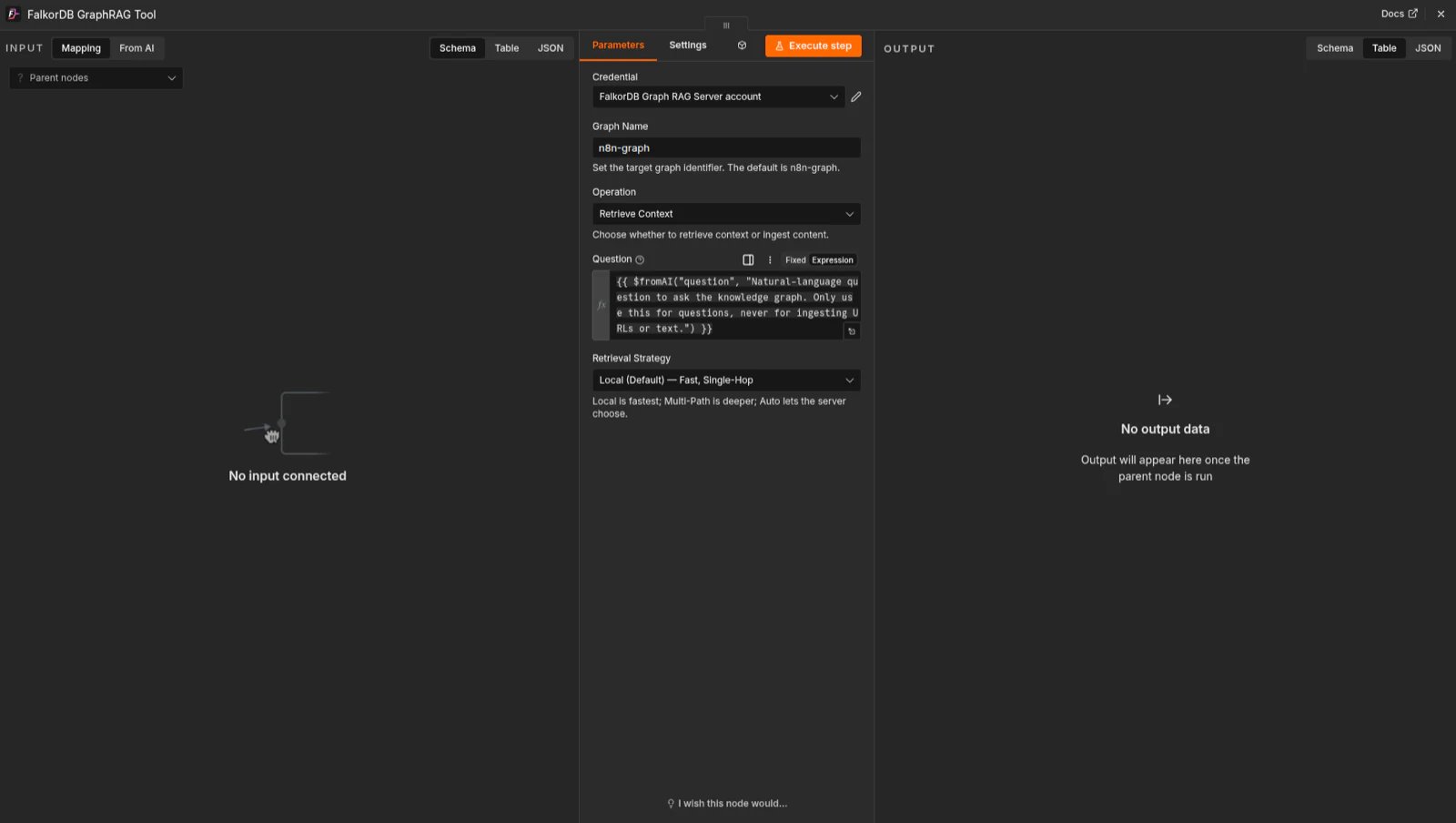
AI Agent tool
Credential
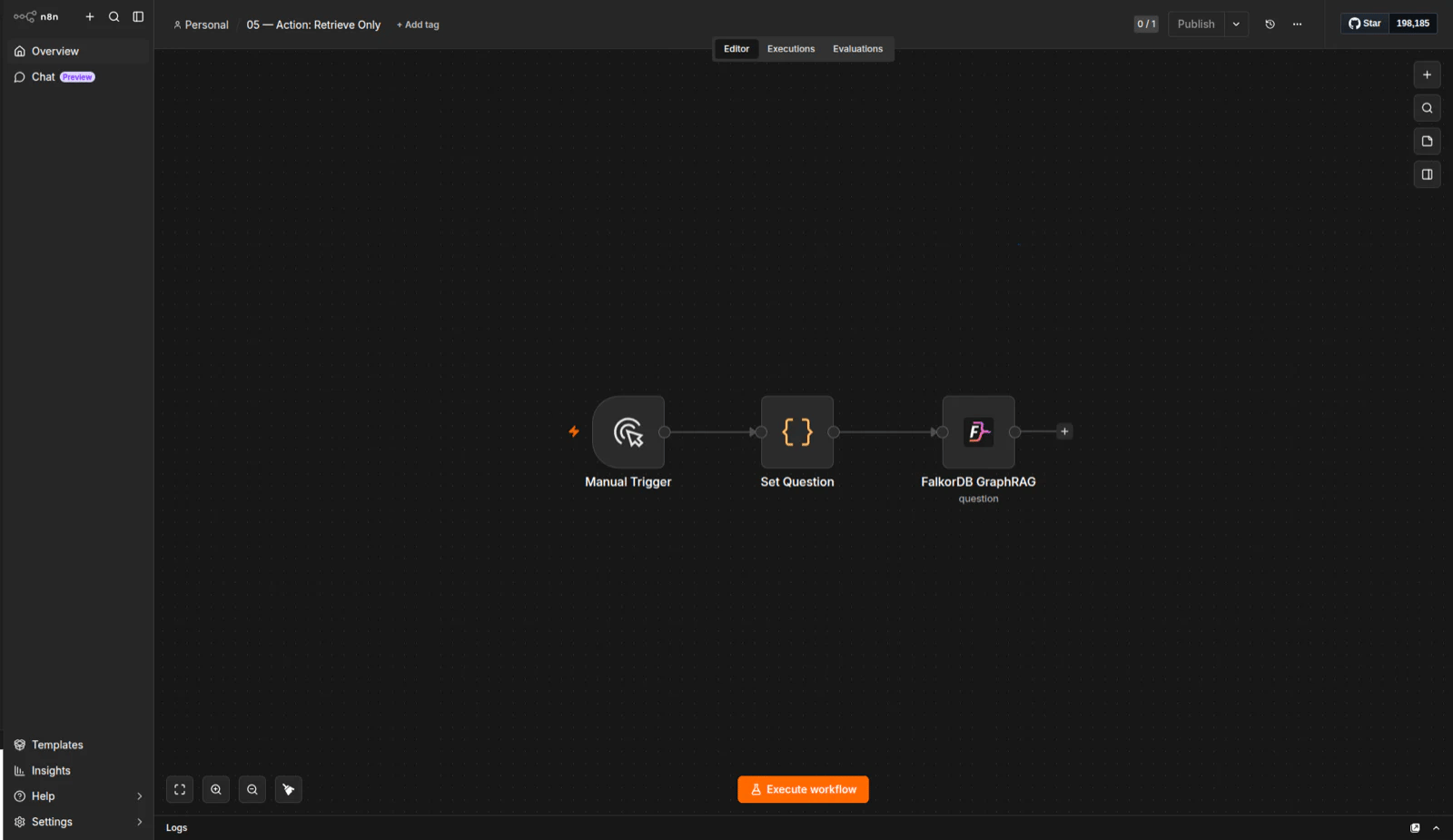
Retrieve only workflow
When to use it
Use the pipeline node when you want to ingest documents, list documents, or answer questions as part of a workflow. Use the AI Agent tool when you want the agent to decide when to query the knowledge graph and fill the node parameters automatically.Frequently Asked Questions
What does the FalkorDB GraphRAG n8n node do?
What does the FalkorDB GraphRAG n8n node do?
It connects n8n workflows to a FalkorDB GraphRAG-Server so a workflow can ingest content into a knowledge graph, list documents, and answer questions against that graph.
Does the n8n node connect to FalkorDB directly?
Does the n8n node connect to FalkorDB directly?
No. The node talks to the GraphRAG-Server REST API, and GraphRAG-Server is what talks to FalkorDB. You need a running GraphRAG-Server instance before the n8n nodes can do anything.
How do I install the FalkorDB GraphRAG node in n8n?
How do I install the FalkorDB GraphRAG node in n8n?
Install
@falkordb/n8n-nodes-graphrag from the n8n Community Nodes UI, or run npm install @falkordb/n8n-nodes-graphrag on a self-hosted instance. After installation, FalkorDB GraphRAG appears under the FalkorDB category in the node picker, and the FalkorDB GraphRAG Tool variant is listed under Tools for use with AI Agents.What is the difference between the FalkorDB GraphRAG node and the FalkorDB GraphRAG Tool node?
What is the difference between the FalkorDB GraphRAG node and the FalkorDB GraphRAG Tool node?
FalkorDB GraphRAG is a regular pipeline node — you place it in the workflow and it runs a step you configured. FalkorDB GraphRAG Tool is an AI Agent tool node, so the agent decides when to call it and fills in the parameters itself.How do I get an API token for the n8n credential?
How do I get an API token for the n8n credential?
Do this only when your GraphRAG-Server deployment uses API-token authentication: open your graph, go to Settings and the API Access tab, then generate a token under API Tokens, copy the raw value when it is shown, and paste it into the n8n credential API Token field. If server authentication is disabled, leave API Token blank.
Do I need my own LLM key to use the n8n GraphRAG nodes?
Do I need my own LLM key to use the n8n GraphRAG nodes?
Not always. A provider key is required when your deployment uses GraphRAG-Server API-token authentication, because tokens run on your own LLM key. Self-hosted deployments may manage provider credentials on the server, and when server authentication is disabled the n8n credential API Token field stays blank.
Do I need a separate credential for each node?
Do I need a separate credential for each node?
No. Create one FalkorDB GraphRAG Server API credential and reuse it across both the pipeline node and the AI Agent tool node. It stores the server URL, the API token, and the per-request timeout.