> ## Documentation Index
> Fetch the complete documentation index at: https://docs.falkordb.com/llms.txt
> Use this file to discover all available pages before exploring further.
> ## Agent Instructions
> FalkorDB is a graph database that speaks the Redis protocol. Queries are issued as OpenCypher through the GRAPH.QUERY and GRAPH.RO_QUERY commands, not over Bolt or a SQL connection.
> FalkorDB implements a subset of OpenCypher with proprietary extensions. Do not assume Neo4j-only syntax or procedures are available — check /cypher/cypher-support and /cypher/known-limitations before using a clause.
> FalkorDB is the successor to RedisGraph, but they are separate products. Do not present RedisGraph commands, versions, or limitations as current FalkorDB behavior.
> Use the official clients listed in /getting-started/clients rather than generic Redis or Neo4j drivers, and prefer the language the user is already working in.
> Configuration parameters are set with GRAPH.CONFIG SET or at startup; cite the exact parameter name from /getting-started/configuration rather than inventing one.
> This site covers four products: FalkorDB (core), FalkorDB Cloud, FalkorDB Enterprise, and the GraphRAG SDK. Name which one an answer applies to, since setup and operations differ.
# UDF Libraries
> Manage JavaScript UDF libraries: load, inspect, remove, and export function bundles.
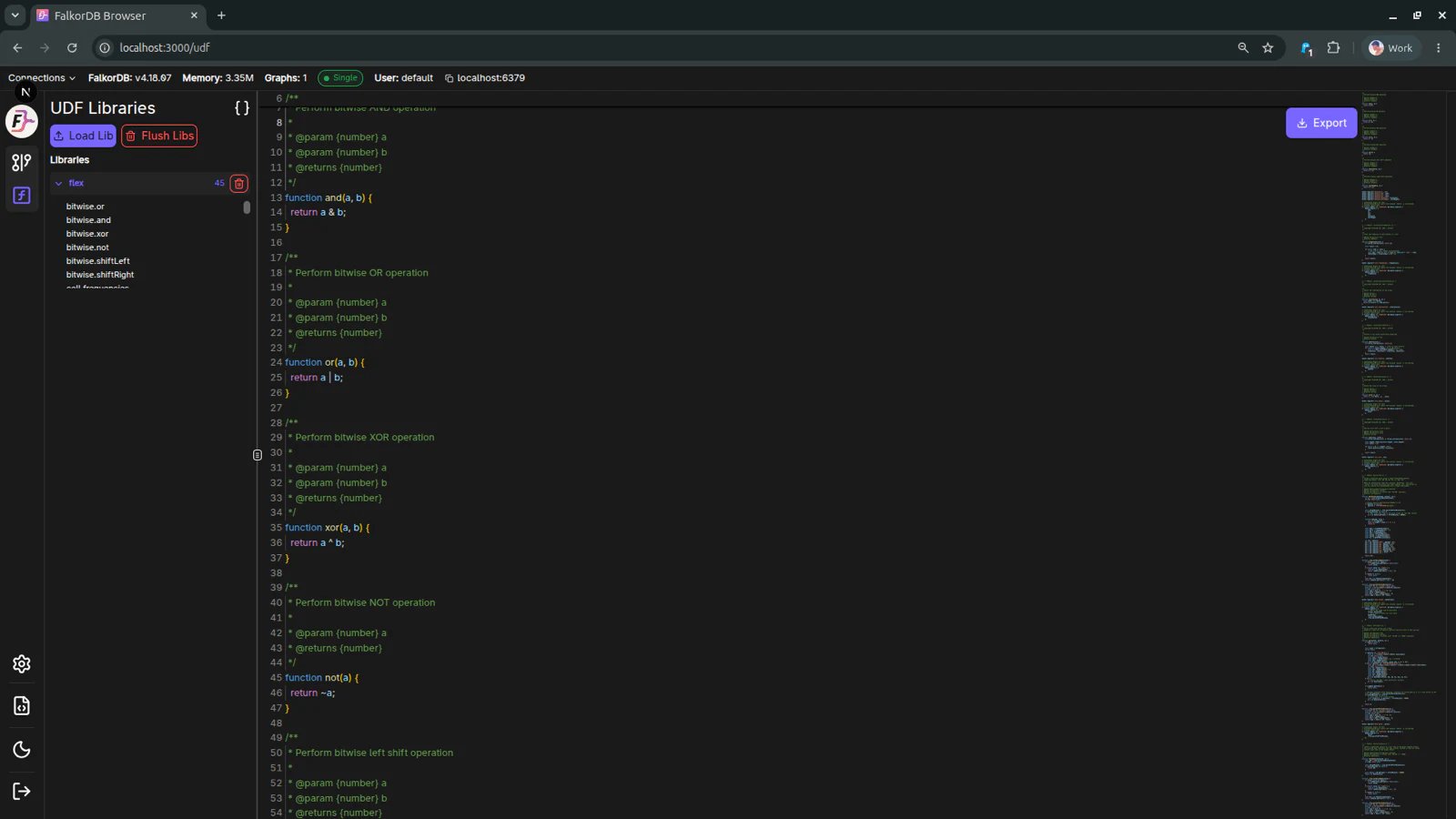
The UDF Libraries page (`/udf`) is used to manage JavaScript user-defined function libraries available to FalkorDB.
 ## What you can do
* **Load Lib**
* Upload a UDF library file and register it on the server.
* **Flush Libs**
* Remove loaded libraries from the current environment.
* **Browse libraries**
* View currently loaded library names in the left panel.
* **Inspect code**
* Open a loaded library and review its source in the editor area.
* **Export**
* Download the currently viewed library source.
## Typical workflow
1. Open **/udf** from the left navigation.
2. Click **Load Lib** and select your JavaScript UDF file.
3. Confirm the library appears in the **Libraries** list.
4. Click the library entry to inspect its code.
5. Use **Export** if you need to download the current source.
## Notes
* UDF behavior depends on server-side support and permissions.
* If you do not see expected libraries, verify your connection and user role.
## Frequently Asked Questions
Use the **UDF Libraries** page at `/udf`, accessible from the left navigation.
Upload a JavaScript UDF library file that follows FalkorDB UDF conventions.
It clears loaded UDF libraries from the current environment.
Yes. Select a library to view its source, then use **Export** to download it.
## What you can do
* **Load Lib**
* Upload a UDF library file and register it on the server.
* **Flush Libs**
* Remove loaded libraries from the current environment.
* **Browse libraries**
* View currently loaded library names in the left panel.
* **Inspect code**
* Open a loaded library and review its source in the editor area.
* **Export**
* Download the currently viewed library source.
## Typical workflow
1. Open **/udf** from the left navigation.
2. Click **Load Lib** and select your JavaScript UDF file.
3. Confirm the library appears in the **Libraries** list.
4. Click the library entry to inspect its code.
5. Use **Export** if you need to download the current source.
## Notes
* UDF behavior depends on server-side support and permissions.
* If you do not see expected libraries, verify your connection and user role.
## Frequently Asked Questions
Use the **UDF Libraries** page at `/udf`, accessible from the left navigation.
Upload a JavaScript UDF library file that follows FalkorDB UDF conventions.
It clears loaded UDF libraries from the current environment.
Yes. Select a library to view its source, then use **Export** to download it.